Last checked:
Emberville’s file size has not been confirmed. The game is listed for Windows and Linux with a release date of October 27, 2026, and as of the last check its Steam page does not state a storage figure, a preload size or an install footprint. This page tracks exactly what is public and will be updated as the developers publish numbers.
The short version
You cannot find a trustworthy Emberville file size right now because the developers have not published one. Any number you see on a forum, a YouTube video or a “system requirements” aggregator is a guess until it appears on the official Steam listing or in a post from the official @EmbervilleGame account.
That is normal for a game that is still months from launch. Storage requirements usually land in the final stretch before release, often alongside the full system requirements and the preload announcement. Until then, treat every figure as unverified.
What is confirmed per platform
Here is the current state of every platform, with the status of each storage-related fact.
| Platform | Listed? | Download size | Install size | Preload | Notes |
|---|---|---|---|---|---|
| Windows (Steam) | Yes | Not announced | Not announced | Not confirmed | Primary target platform |
| Linux (Steam) | Yes | Not announced | Not announced | Not confirmed | Native support listed |
| Steam Deck | Not rated | Not announced | Not announced | Not confirmed | Verified status pending |
| PlayStation 5 | No | No listing | No listing | No | Not announced |
| Xbox Series X and S | No | No listing | No listing | No | Not announced |
| Nintendo Switch | No | No listing | No listing | No | Not announced |
The only official source for Emberville’s platforms today is the Steam store page, which lists Windows and Linux. No console version has been announced, so if you are hoping for an Xbox or PlayStation release you should wait for a developer statement rather than assume one is coming.
Data applies as of March 2026 and will shift as the listing is updated.
Why there is no number yet
Steam lets a developer publish a store page long before the build is final. The “Storage” line under system requirements is optional during that window, and many studios leave it blank until they have a release candidate. The install size of a game can change by several gigabytes between a demo build and gold, mostly because of texture compression, audio and localisation packs.
Three things typically have to happen before a size appears:
- The developers lock the content scope, including any launch-window crafting, estate or town-building content.
- The build goes through final compression and packaging for Steam’s depot system.
- Voice and music assets are finalised in every supported language, which is often the single largest contributor to install size.
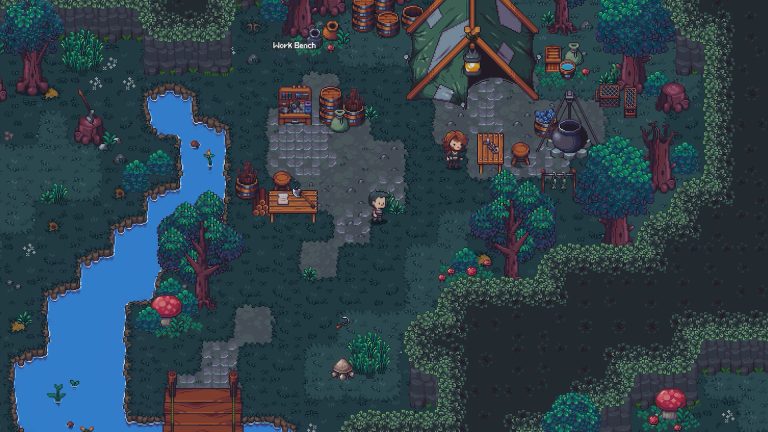
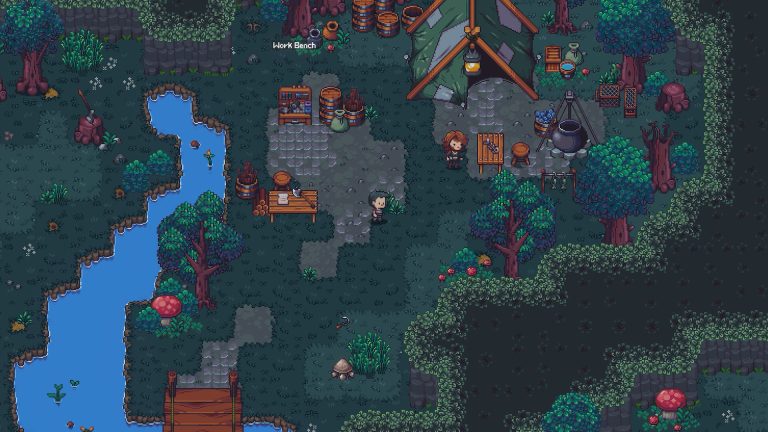
Emberville is a town-rebuilding adventure with combat, so its asset mix is closer to a mid-sized indie RPG than to a photoreal open-world game. That shapes what you should reasonably expect, but it does not give you a number.
What the game contains, and why that matters for size
Understanding what Emberville actually ships with helps you plan storage even before the figure lands. The developers have described a handful of core systems on the Steam page and in their news posts.
Rebuild the town of Emberville
The central loop has you restoring a ruined town, placing buildings, recruiting residents and unlocking shops. Town-builders generate a lot of small assets (props, building variants, UI) but these are usually lightweight compared with cinematic content. A system like this rarely pushes a game past the 10 GB mark on its own.
Venture into the eternal prison
The combat half of the game takes place in a dungeon called the eternal prison. Dungeon layouts, enemy models and effects add to the install, and if there are rendered cutscenes or a large voiced cast the size can climb quickly. Pre-rendered video is the single biggest wildcard here; a dozen minutes of high-bitrate cutscenes can add more than a gigabyte.
Develop your own fighting style
Emberville advertises customisable combat with different weapon types and skill builds. Animation data for a flexible combat system is moderate in size. It will not be the deciding factor.
Customize and improve your character
Character customisation means extra meshes, textures and outfit variants. Again, moderate. Stylised art, which Emberville uses, compresses far better than photorealistic textures.
Build your Estate
A personal estate with decorating and crafting adds furniture and material assets. Cosy builders with this feature set, such as Stardew Valley or Coral Island, span a very wide range of sizes, which is exactly why guessing is unhelpful.
Put together, the content profile suggests an indie-to-mid-tier footprint rather than an 80 GB install. That is a reasoned expectation, not a confirmed figure.
How Emberville compares to games in the same space
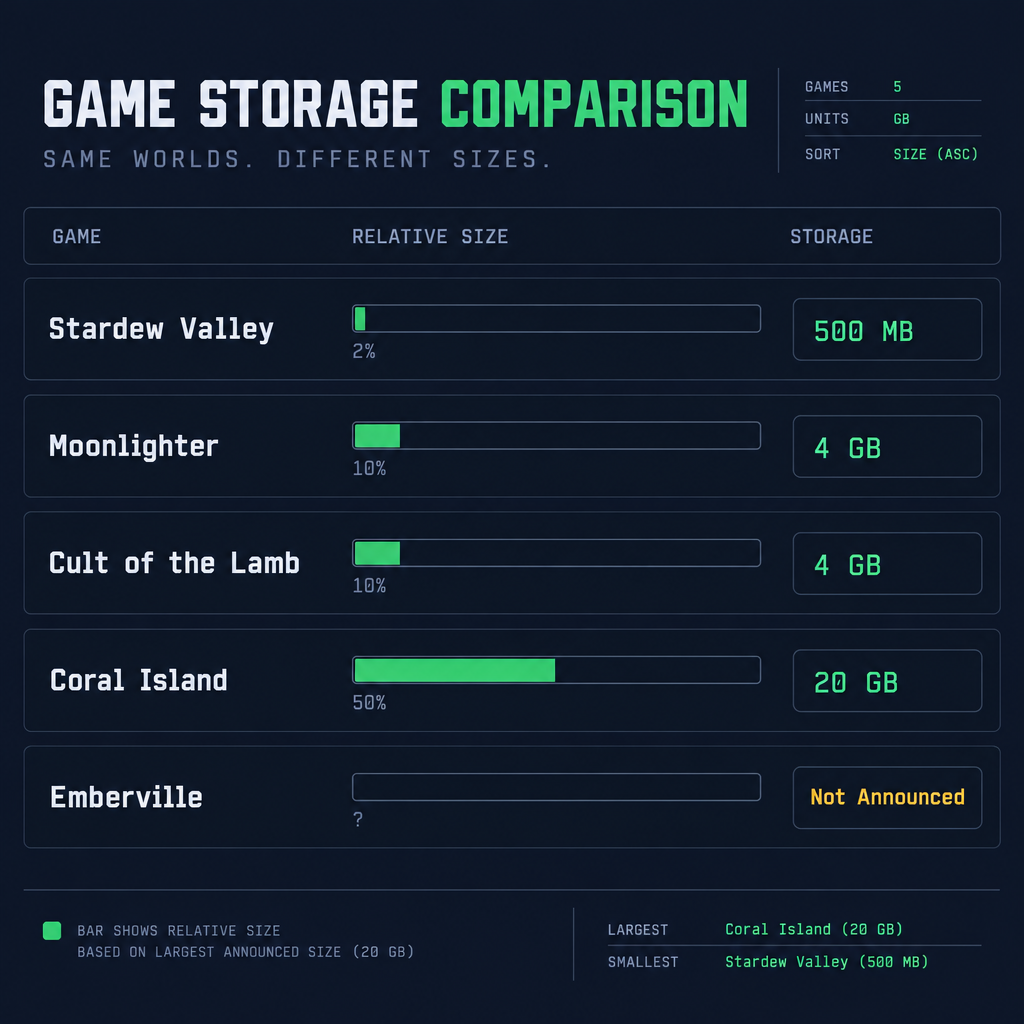
These are verified current Steam storage listings for games with a similar genre mix. They are useful as a frame of reference, not as a prediction.
| Game | Genre overlap | Steam listed storage | Platforms with size listed |
|---|---|---|---|
| Stardew Valley | Farming, town, relationships | 500 MB | PC, consoles, mobile |
| Coral Island | Farming, town rebuilding, dungeon | 20 GB | PC, PS5, Xbox |
| Moonlighter | Shop running plus dungeon combat | 4 GB | PC, consoles |
| Cult of the Lamb | Base building plus combat runs | 4 GB | PC, consoles |
| Emberville | Town rebuilding, dungeon combat, estate | Not announced | None yet |
The spread runs from half a gigabyte to 20 GB for games that share Emberville’s core ideas. The difference comes down to art style, resolution of textures and how much voice and video the game includes. Stardew Valley is pixel art with no voice acting, so it stays tiny; Coral Island is 3D with higher-resolution textures and lands at 40 times that.
If you want a wider sense of how PC games vary, our piece on how many GB is Minecraft shows how even a single game can differ in size across editions, and Fortnite PC storage requirements walks through a game whose footprint changes every season.
Preload: what we know
Preloading is not confirmed for Emberville. Steam preloads are enabled by the developer on a per-game basis and are usually announced a week or two before launch, if at all. Smaller studios skip preload more often than large publishers because it requires encrypting the depot early and committing to a final build ahead of time.
When a preload does open on Steam, the flow is the same for every game.
How to check for a preload
- Open your Steam Library and find Emberville in the list after you have bought or wishlisted it.
- If preload is live, the Install button appears before release day and shows the download size.
- Start the download; the files stay encrypted until the unlock time.
- On launch day, Steam decrypts the files locally, which takes a few minutes and needs no extra download.
If there is no preload, you download the whole game at the unlock moment. For the exact unlock hour in your time zone, check our Emberville release time page once the developers confirm it.
Free space you will actually need
Even once a figure appears, the number on the Steam page is not the whole story. Three things inflate the space you need on launch day.
Steam’s download buffer. Steam writes compressed chunks to a temporary folder before unpacking them. On a fresh install you can briefly need about 1.5 times the listed size.
Day-one patch. Many games ship with a patch on release day. Steam applies patches by writing new files alongside old ones, which can temporarily double the space used by the changed portions.
Shader cache on Linux and Steam Deck. Proton and native Vulkan games build shader caches on first run. For a mid-sized game this is usually hundreds of megabytes, stored outside the game folder.
A practical rule: once Emberville’s storage figure is listed, have at least double that figure free on the target drive for launch day, then expect the long-term footprint to settle at roughly the listed size plus a shader cache.
Good to know
If you plan to install on Steam Deck, put the game on internal storage first. Shader compilation and first-run patching are noticeably slower on a microSD card, and you can move the game later from the Steam Deck storage settings.
Steam Deck and Linux
Emberville lists native Linux support, which is relevant to size in two ways. Native Linux builds are sometimes a separate depot, and the Linux depot can differ slightly from the Windows one because it uses different binaries and occasionally different shader packaging. In practice the difference is rarely more than a few hundred megabytes.
Steam Deck Verified status has not been assigned. Valve runs its compatibility review close to launch, and a game can be marked Verified, Playable or Unsupported. Having a native Linux build does not guarantee a Verified badge, because the review also covers controller glyphs, text legibility and default resolution.
If the game is marked Playable rather than Verified, it still runs; you just may need to adjust a setting or two. Storage requirements are the same either way.
Where to check for the official number
The reliable sources, in order of how quickly they tend to update:
| Source | What it will show | Reliability |
|---|---|---|
| Steam store page, System Requirements section | Minimum and recommended storage | Official |
| Steam Library, Install dialog | Exact download size on your machine | Official |
| @EmbervilleGame on X | Launch and preload announcements | Official |
| Developer news posts on Steam | Patch notes, size changes | Official |
| Third-party requirement aggregators | Often placeholder or copied values | Mixed record |
| Forum and Reddit threads | Speculation unless quoting a source | Community |
The Install dialog in your Steam Library is the single most accurate figure you can get, because it reflects the depot for your operating system and any language packs you have selected. The store page number is a developer-entered estimate and can lag behind a late patch.
Many aggregator sites fill in a placeholder when the official listing is blank. Those placeholders have a habit of circulating as if they were real, so if you see “Emberville requires 25 GB” with no link back to Steam, treat it as unsourced.
What this means if you are planning a build or a drive
For now, Emberville is not a game you need to plan a drive around. Nothing in its announced feature set or art direction points to a triple-A footprint, and games in its genre bracket top out around 20 GB today. If your SSD has 30 GB free you are almost certainly fine; if it has 5 GB free you should wait for the listing before assuming it will fit.
The bigger storage decisions this year belong to large shooters and open-world titles. If you are juggling space for several autumn launches, our breakdown of how many GB is Battlefield 6 and Final Fantasy Resonance size covers two of the larger installs you might be weighing against Emberville in the same window.
What happens next
The sequence you can expect between now and October 27, 2026:
- System requirements finalised. The Steam page gains a full minimum and recommended spec, including storage. This usually happens one to three months before launch.
- Preload announcement, if any. Posted on the Steam news hub and the official account, typically one to two weeks ahead.
- Steam Deck review. Valve assigns a compatibility badge, often in the final weeks.
- Day-one patch notes. Published on or just before release, sometimes with a revised size.
- Post-launch updates. Content patches for the town, estate and prison can grow the install over time.
This page will be updated at each of those stages. If you want to be notified directly, wishlisting the game on Steam triggers a notification when it unlocks and when major announcements go out.
Crossplay and cross-progression
Since the game is currently PC-only, crossplay is not a factor at launch. If console versions are announced later, cross-platform play between Windows, Linux and consoles would be a separate decision for the developers to confirm. Emberville’s Steam page does not currently list online multiplayer at all, so the question may never apply. Our explainer on cross-platform gaming covers how these systems generally work if the picture changes.
Cross-save between Windows and Linux is handled by Steam Cloud if the developers enable it. That feature is not confirmed either, but it is standard for single-player Steam games and costs you no extra storage.
FAQ
How many GB is the average Steam game?
There is no official average published by Valve. In practice the catalogue splits sharply: most indie titles sit under 5 GB, mid-sized games land between 10 and 40 GB, and big-budget releases range from 60 GB to well over 100 GB. Because Steam has tens of thousands of small indie games, a true mean across the whole store would be low, probably in the single digits, but that figure tells you little about any specific release. Emberville’s content profile puts it in the indie-to-mid-sized bracket, with the actual number still unannounced.
Will Emberville have romance?
The developers have not confirmed romance or dating mechanics as of the last check. The Steam page describes rebuilding the town, recruiting residents, combat in the eternal prison and estate building, but does not list relationship or marriage systems. Many games in this genre include them, so it is a reasonable thing to ask, but treat any claim as unconfirmed until it appears in official material or the developers answer it directly on their social channels.
How many GB does Stardew Valley take up?
Stardew Valley lists 500 MB of storage on Steam, so about half a gigabyte. Its pixel-art assets and lack of voice acting keep it extremely small, and years of free content updates have barely moved that figure. On consoles and mobile the install is similar, generally under 1 GB. It is one of the smallest full-scale games in its genre and a useful reminder that feature depth and file size are not the same thing.
What game has the largest file size on Steam?
The largest mainstream installs on Steam have come from Call of Duty, where the shared launcher for Modern Warfare II, Modern Warfare III and Warzone has exceeded 200 GB when every pack is installed. Microsoft Flight Simulator 2020 lists around 150 GB and streams much more from the cloud. Digital Combat Simulator (DCS) World is widely reported at up to 500 GB with every module installed, which puts it at the top of most lists of the biggest Steam installs, with ARK: Survival Evolved and all its expansions usually cited as second or third at around 400 to 470 GB. Emberville will not be anywhere near these figures based on its announced scope.
About the Author