Last checked:
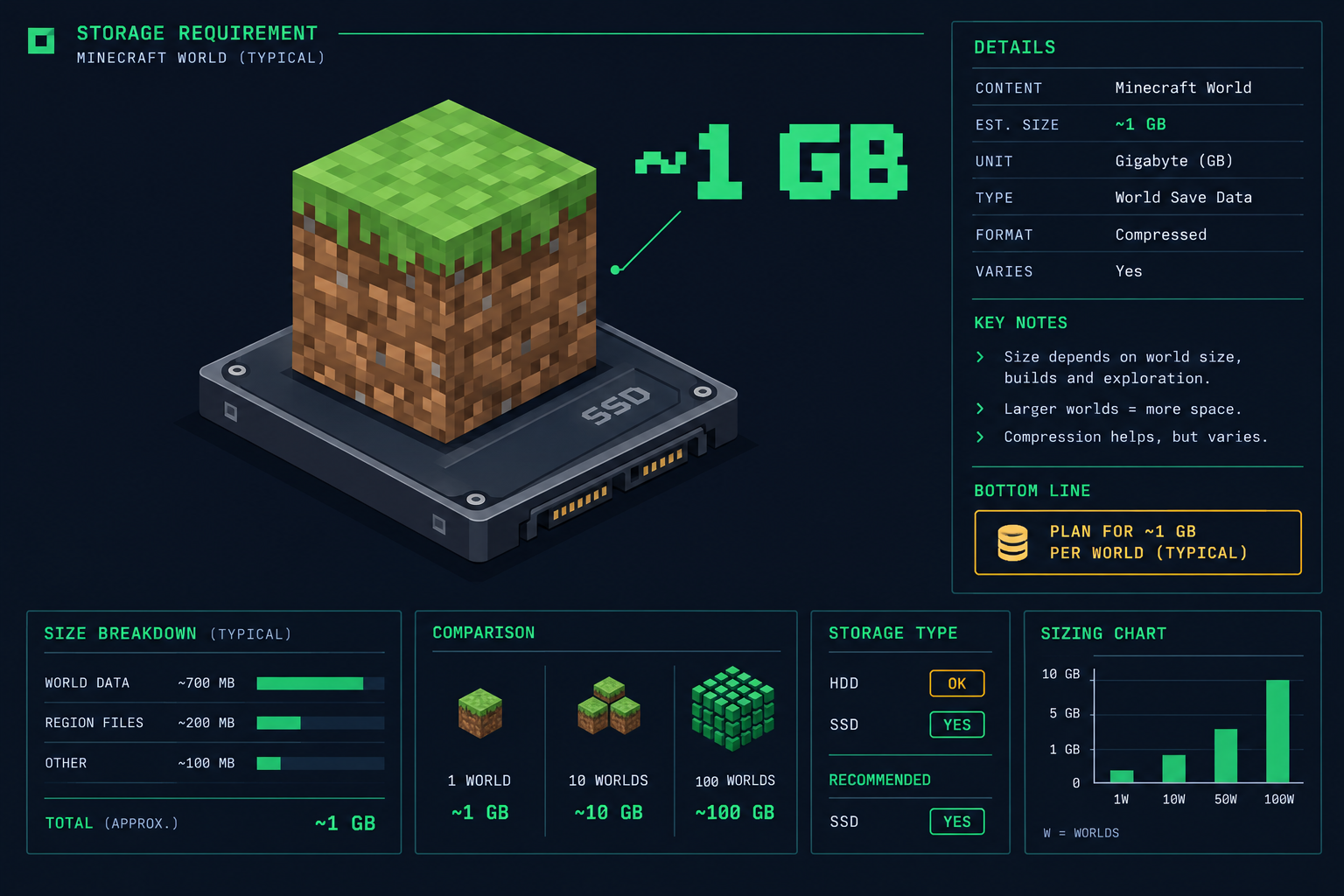
Minecraft takes up roughly 1 GB of storage on every platform before you add worlds, mods or resource packs. Java Edition on PC needs at least 1 GB free, with Mojang recommending 4 GB, and the Bedrock builds on console and mobile land in the same 1 to 2 GB range as of October 2026.
Minecraft install size by platform
The core game is tiny by modern standards. What changes between platforms is the launcher overhead, the bundled runtime and how much the store rounds up. The figures below are the download size for a fresh install with no worlds saved and no Marketplace content, as of October 2026. Updates shift these numbers by a few hundred MB, so treat them as a working estimate rather than a fixed value.
| Platform | Edition | Approximate install size | Notes |
|---|---|---|---|
| Windows PC | Java Edition | About 1 GB | Launcher, one game version, assets and bundled Java runtime |
| Windows PC | Bedrock Edition | About 1 GB | Installed through the Minecraft Launcher or Microsoft Store |
| Windows PC | Java and Bedrock both | About 2 GB | The PC bundle includes both; installing both doubles the footprint |
| macOS | Java Edition | About 1 GB | Same files as Windows plus a Mac launcher |
| Linux | Java Edition | About 1 GB | Launcher size varies by package format |
| Xbox Series X and S, Xbox One | Bedrock Edition | 1 to 2 GB | Store listing size varies with the current update |
| PlayStation 5 | Bedrock Edition | 1 to 2 GB | Native PS5 version |
| PlayStation 4 | Bedrock Edition | 1 to 2 GB | Replaced the older Legacy Console version |
| Nintendo Switch | Bedrock Edition | About 1 GB | Fits comfortably on internal storage |
| iOS and iPadOS | Bedrock Edition | About 1 GB | App Store lists it under 1 GB in most regions |
| Android | Bedrock Edition | Under 1 GB | Initial download is smaller; assets fetch on first launch |
If you only remember one number, remember 1 GB. The install itself will never be the thing that fills your drive. Everything else on this page is about what grows around it.
Why Minecraft is so small
Minecraft uses low-resolution 16 by 16 pixel textures for every block and item. The entire default texture set fits in a few MB. There is no recorded dialogue, no pre-rendered video and no high-polygon character models to store.
The worlds themselves are generated from a seed when you load them, not shipped on disk. A brand new world only contains the chunks you have actually visited. That is why a fresh survival world starts at a few MB and only grows as you explore.
Java Edition keeps its assets (sounds, language files, textures) in a shared folder that every installed version reuses. Each additional game version adds a jar of around 25 MB plus its own libraries, so keeping five versions installed does not cost you five full copies of the game.
What takes up additional space
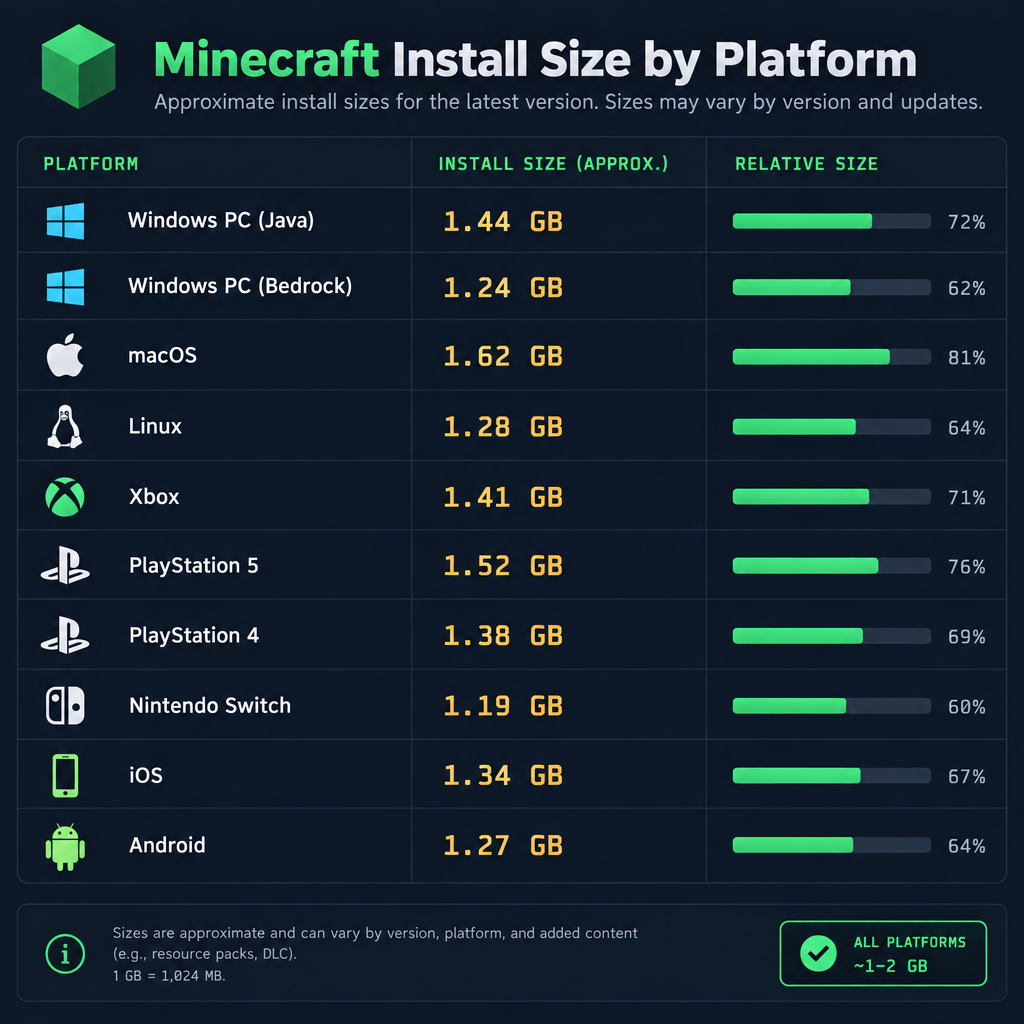
The base install stays near 1 GB for years. Your Minecraft folder does not. Here is where the extra storage goes, with typical figures as of October 2026.
| Item | Typical size | How fast it grows |
|---|---|---|
| New survival world | 5 to 20 MB | Immediately after creating it |
| Heavily explored world | 500 MB to 3 GB | Each new chunk you load is saved permanently |
| Large server world backup | 5 to 20 GB | Multiplayer worlds with dozens of players |
| Java runtime per game version | 100 to 200 MB | Added when a new major version changes Java requirements |
| Mod loader (Forge, Fabric, NeoForge) | 50 to 200 MB | Per installed version |
| Small mod set (10 to 20 mods) | 200 MB to 1 GB | Depends on mod asset size |
| Large modpack | 3 to 10 GB | Packs like All the Mods or RLCraft, including config and libraries |
| Default-resolution resource pack | 5 to 50 MB | Small |
| 128x or 256x resource pack | 200 MB to 1 GB | Scales with resolution |
| 512x photoreal resource pack | 1 to 4 GB | Rare, but the biggest single pack type |
| Shader pack | 5 to 100 MB | Small on disk, heavy on GPU |
| Bedrock Marketplace world or mash-up | 20 to 300 MB each | Adds up across a large library |
| Screenshots and world backups | Varies | Java keeps full backups when you upgrade a world |
| Minecraft Preview or Snapshots | About 1 GB extra | A separate install on Bedrock; Java snapshots add a version each |
Worlds are the quiet one. A player who has spent 200 hours in a single survival world, flying around with an elytra and loading chunks across thousands of blocks, can easily reach 2 GB for that one save. Multiply that across a few worlds and your game folder outgrows the install by a wide margin.
Mods are the loud one. A single large Java modpack with Forge, 300 mods and the shader and library dependencies that come with it will land somewhere between 5 and 10 GB. If you run several modpacks through a third-party launcher such as CurseForge, Prism or Modrinth, each one keeps its own copy of the mods, so three packs can mean 20 GB on their own.
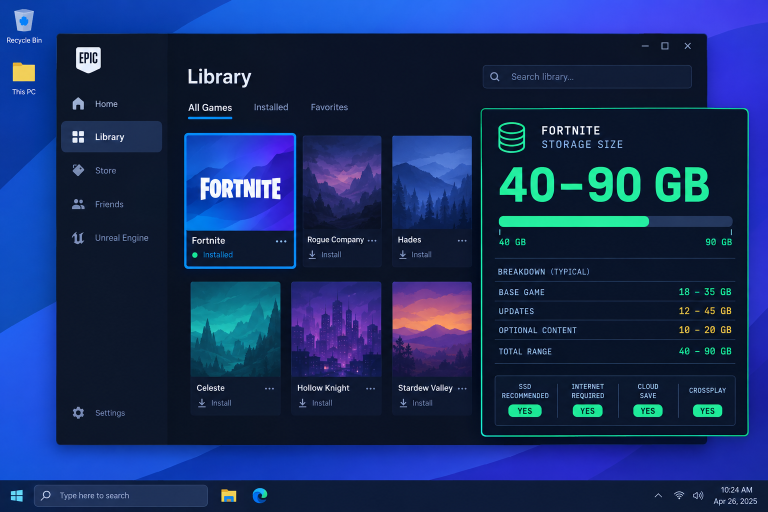
For comparison, fortnite pc storage requirements are measured in tens of GB for the base game. Minecraft only reaches that scale when you fill it with modded content.
Java Edition system requirements
Mojang’s published requirements for Java Edition are the only official storage numbers for Minecraft. They are listed as minimum and recommended specs on minecraft.net, as of October 2026.
| Spec | Minimum | Recommended |
|---|---|---|
| CPU | Intel Core i3-3210 or AMD A8-7600 | Intel Core i5-4690 or AMD A10-7800 |
| GPU (integrated) | Intel HD Graphics 4000 or AMD Radeon R5 with OpenGL 4.4 | Not specified |
| GPU (discrete) | NVIDIA GeForce 400 series or AMD Radeon HD 7000 series with OpenGL 4.4 | NVIDIA GeForce 700 series or AMD Radeon Rx 200 series with OpenGL 4.5 |
| RAM | 4 GB | 8 GB |
| Storage | At least 1 GB for the game core, maps and other files | 4 GB, SSD recommended |
| OS | Windows 10 or later, macOS, or a modern Linux distribution | Windows 10 or later |
The 1 GB minimum covers the install and a modest world. The 4 GB recommendation is Mojang’s way of telling you that worlds, backups and a handful of game versions pile up. An SSD matters more than the capacity for Java Edition: chunk loading reads many small files, and that is exactly the workload where SSDs beat hard drives.
Java Edition also needs a Java runtime. The Minecraft Launcher downloads and bundles the right version automatically, so you no longer need to install Java separately. The runtime lives inside the launcher folder and counts toward the 1 GB figure.
Bedrock Edition system requirements
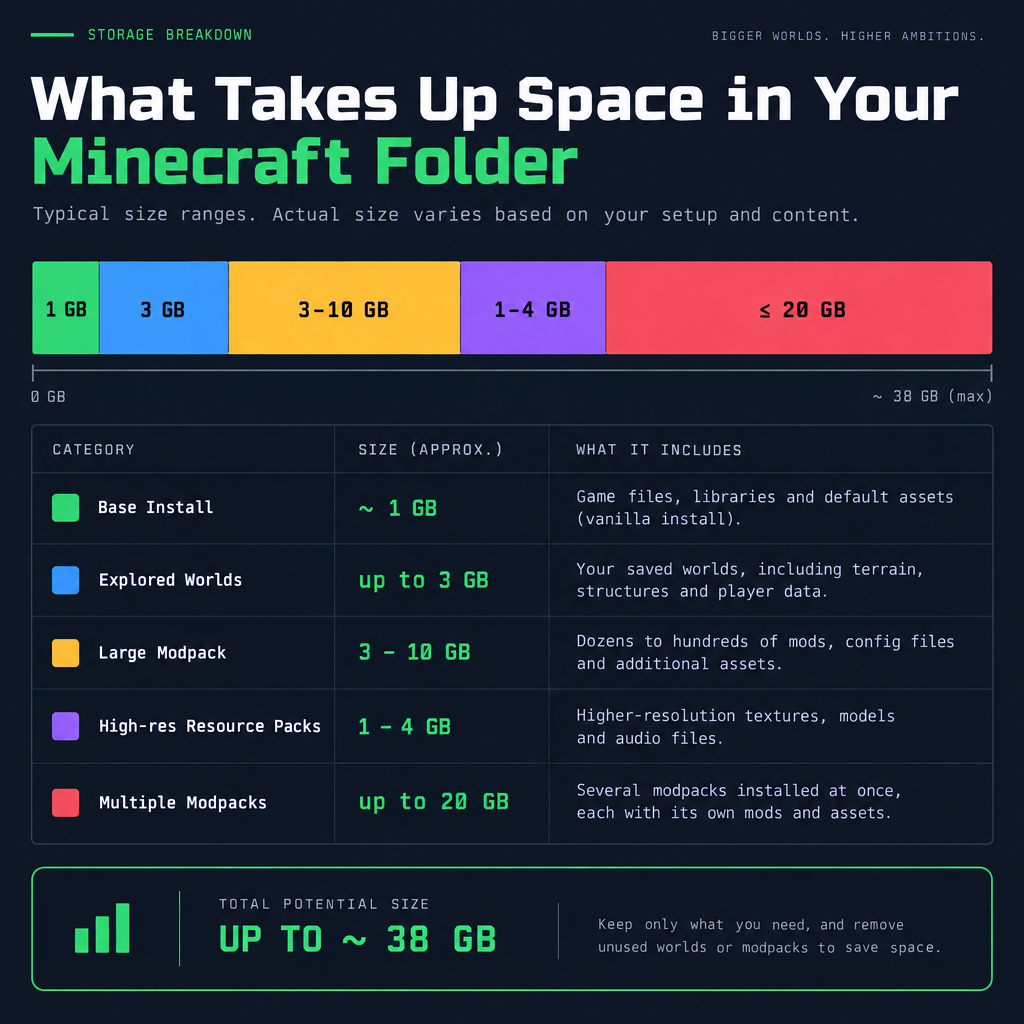
Bedrock Edition on Windows is a separate build from Java, written in C++ rather than Java. Mojang lists its hardware requirements as follows, as of October 2026. Mojang does not publish a separate storage line for Bedrock, so budget 2 GB to cover the install, a few worlds and some Marketplace content.
| Spec | Minimum | Recommended |
|---|---|---|
| CPU | Intel Celeron J4105 or AMD FX-4100 | Intel Core i7-6500U or AMD A8-6600K |
| GPU | Intel HD Graphics 4000 or AMD Radeon R5 | NVIDIA GeForce 940M or AMD Radeon HD 8570D |
| RAM | 4 GB | 8 GB |
| Storage | Not listed separately; about 1 GB download | Budget 2 GB or more for worlds and Marketplace content |
| OS | Windows 10 version 1903 or later | Windows 10 or later |
Bedrock is the version that supports cross-platform gaming between PC, Xbox, PlayStation, Switch and mobile. It is also the version where Marketplace downloads add up, since every world, texture pack and mash-up you buy or claim gets stored locally.
Bedrock and Java are separate installs with separate world folders and separate save formats. If you own the PC bundle and install both, you have two games taking up two lots of space, and a world from one does not open in the other without a conversion tool.
Console storage in practice
On Xbox, PlayStation and Switch, the base game sits at 1 to 2 GB and the system handles updates by replacing files rather than stacking versions. Your worlds live in local storage alongside the game, and cloud saves sync them to your account on Xbox and PlayStation.
The main storage risk on console is Marketplace content. A player with a large library of claimed free maps, skin packs and mash-ups can hold several GB of Marketplace downloads. You can delete any of these from the console’s storage manager and redownload them later without losing your purchase.
Nintendo Switch players on the 32 GB base model should still have no trouble. Even with ten worlds and a decent Marketplace library, Minecraft rarely passes 4 GB on Switch.
How to check how much space Minecraft is using
Check your install size
- Windows Java: press Windows + R, type %appdata%.minecraft, press Enter, then right-click the folder and choose Properties.
- Windows Bedrock: open Settings, go to Apps, then Installed apps, and find Minecraft in the list.
- Xbox: go to My games & apps, highlight Minecraft, press the Menu button and choose Manage game and add-ons.
- PlayStation: go to Settings, then Storage, then Console storage, then Games and apps.
- Switch: go to System Settings, then Data Management, then Manage Software.
- iOS: go to Settings, then General, then iPhone Storage, and find Minecraft.
- Android: go to Settings, then Apps, then Minecraft, then Storage.
On Java Edition the .minecraft folder is the whole story. Inside it, the saves folder holds your worlds, the versions folder holds each installed game version, the mods folder holds Fabric or Forge mods, and the resourcepacks folder holds texture packs. Sorting those by size tells you exactly what to trim.
Managing your storage
You rarely need to free space for Minecraft, but if your drive is full, these are the targets in order of payoff.
Delete or archive old worlds. Worlds you have finished with are the largest files a normal player accumulates. Export them as a zip to an external drive or cloud folder, then delete the local copy. On Java, each world is a folder inside saves. On Bedrock, use the Export World option in the world’s settings menu.
Remove old game versions. Java keeps every version you have ever launched. The versions folder can hold dozens of folders if you have been playing since 2020 or earlier. Deleting the ones you no longer use is safe; the launcher redownloads a version if you select it again.
Clear unused modpacks. Third-party launchers store each pack as a complete instance. One abandoned modpack can be 8 GB of files you have not touched in a year.
Prune resource packs. A 512x pack you tried once and abandoned is the easiest multi-GB win on the list.
Trim Marketplace content on Bedrock. Everything you own stays linked to your account. Deleting local copies costs you a redownload later and nothing else.
Good to know
Java Edition creates a full backup of a world when you load it in a newer game version for the first time. These backups live in a folder called backups inside .minecraft and can quietly double the size of your largest worlds. Delete them once you are sure the upgraded world works.
Does Minecraft get bigger with each update?
Slightly, yes. Each major release adds new blocks, mobs, sounds and textures to the shared assets folder, and the download has crept up over the years. A 2015 Java install was a few hundred MB. A 2026 install is closer to 1 GB. Even so, the growth is measured in tens of MB per update, not GB.
What does get bigger with updates is your world. New world generation features mean newly explored chunks store more data than older ones, and the game regenerates nothing you have already loaded. A world you have played across many versions carries every era of chunk data with it.
Minecraft size compared with other games
Minecraft is one of the smallest major multiplayer games you can install. Most modern shooters and open-world titles need 50 to 150 GB. Minecraft at 1 GB fits on a budget laptop, a base-model Switch or an old phone with room to spare.
That is the practical takeaway. The question of how many GB Minecraft takes up only matters once you start adding worlds, mods and packs. The game itself will never be your storage problem.
FAQ
How many GB is Minecraft Java Edition?
About 1 GB for the launcher, one game version, the shared assets and the bundled Java runtime, as of October 2026. Mojang lists a 1 GB minimum and recommends 4 GB free to leave room for worlds.
How many GB is Minecraft Bedrock Edition on PC?
About 1 GB for the base install. Mojang does not publish a separate storage requirement for Bedrock, so plan for around 2 GB once you add a few worlds and some Marketplace content.
How much space does Minecraft take up on Xbox or PlayStation?
Between 1 and 2 GB for the base game, as of October 2026. Marketplace maps and packs are stored separately and can add several GB if you collect a lot of them.
How big is Minecraft on Nintendo Switch?
About 1 GB. Even with multiple worlds and a Marketplace library it rarely passes 4 GB, so the 32 GB base model handles it without a memory card.
How many GB is Minecraft on iPhone or Android?
Around 1 GB on iOS. Android shows a smaller initial download and fetches the remaining assets on first launch, finishing under 1 GB in most cases.
Do mods make Minecraft bigger?
Yes, and mods are the single biggest reason a Minecraft install grows. A modest set of mods adds a few hundred MB. A large modpack with hundreds of mods and their libraries adds 5 to 10 GB per pack.
How much space does a Minecraft world take up?
A new world starts at 5 to 20 MB. Worlds grow as you explore, since every loaded chunk is saved permanently. Long-running survival worlds commonly reach 1 to 3 GB, and busy server worlds can exceed 10 GB.
Can I move Minecraft to another drive?
On Java, you can change the game directory inside the launcher’s installation settings, or move the whole .minecraft folder and point the launcher to it. On Xbox and PlayStation, use the system storage manager to move the game to an external drive. On Windows Bedrock, use the Move option in Settings under Installed apps.
Why does Mojang recommend 4 GB if the game is only 1 GB?
The extra 3 GB is headroom for worlds, world backups, multiple game versions and resource packs. It is a practical recommendation for normal play, not a hard requirement.
About the Author