Last checked:
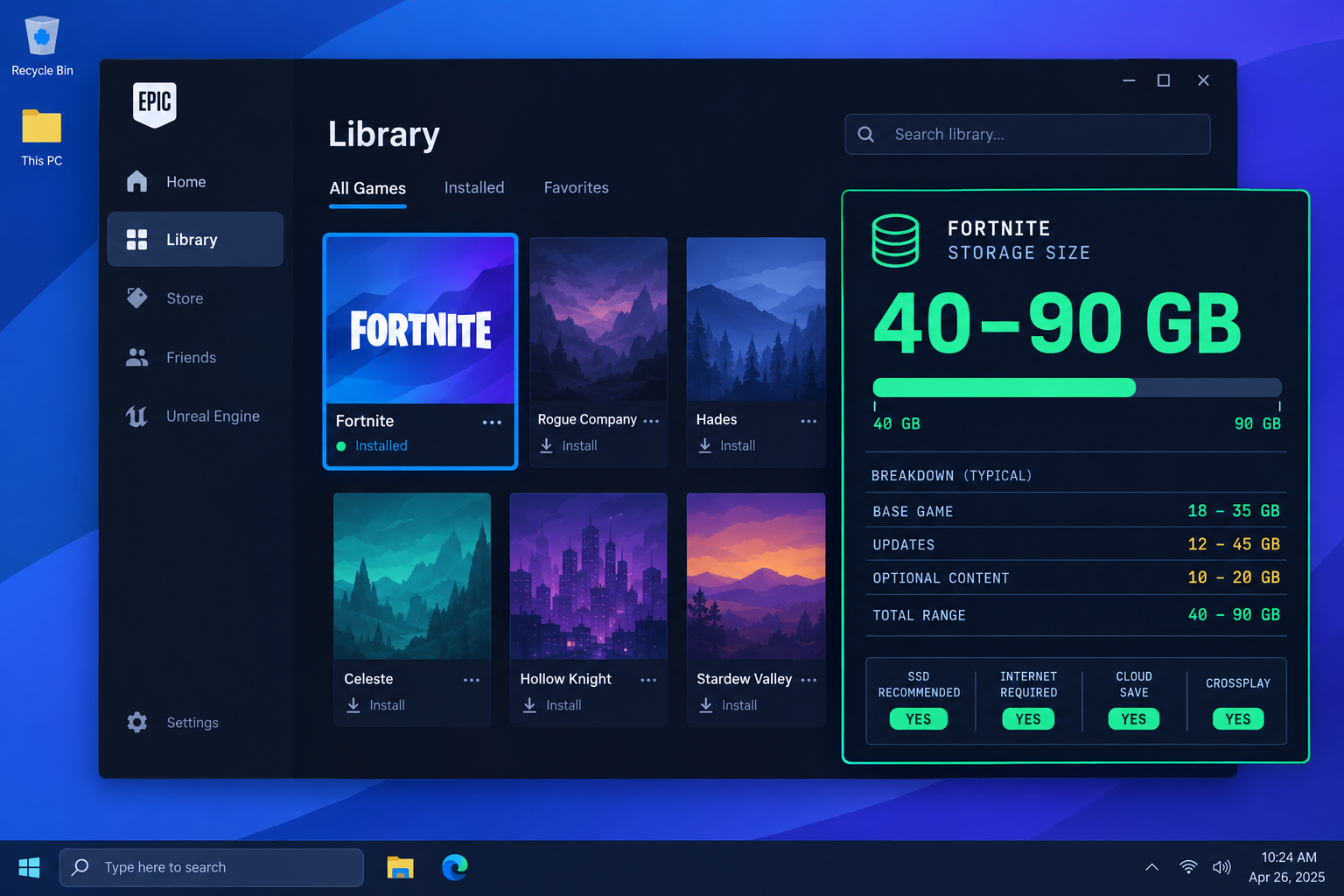
Fortnite takes up roughly 40 to 90 GB on PC as of October 2026, depending on whether you install the optional High Resolution Textures pack and how much leftover patch data has built up. A fresh install without the texture pack lands at the lower end; a full install with everything ticked sits near the top.
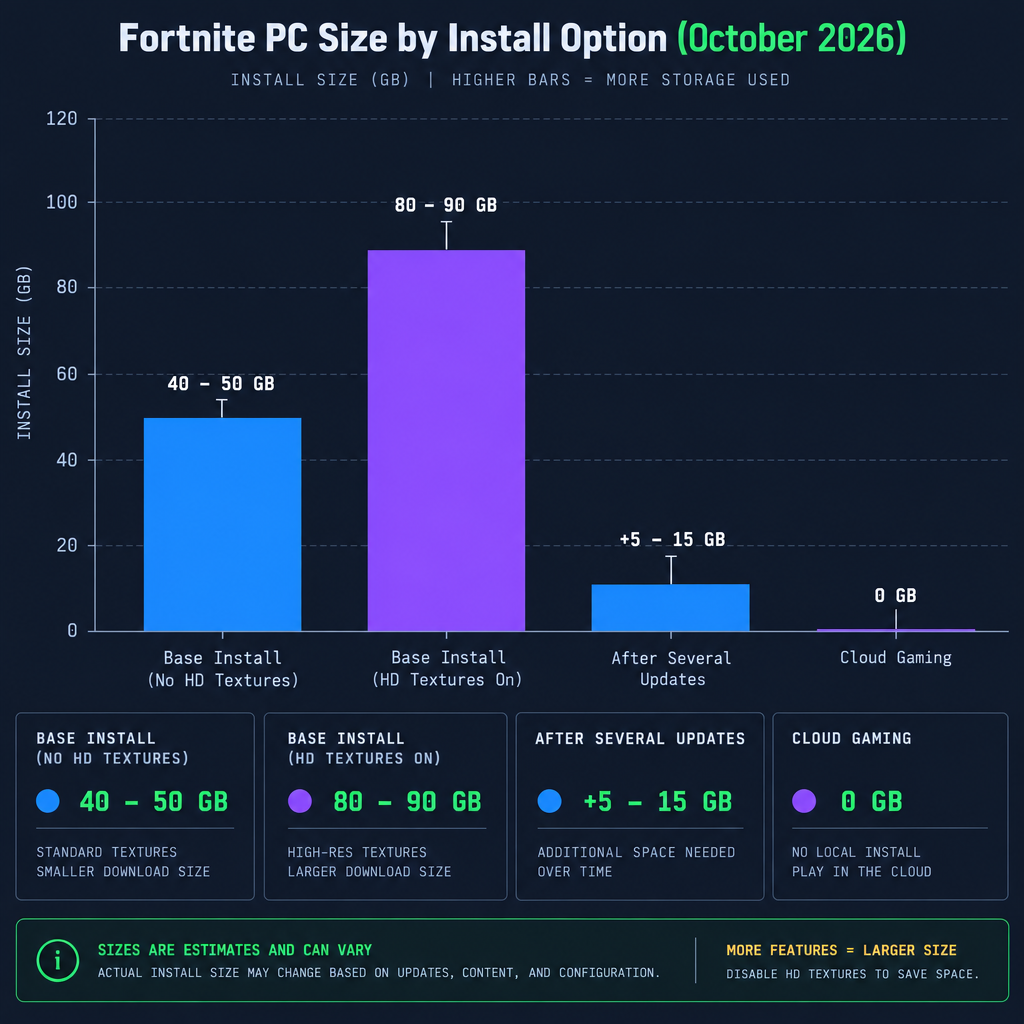
Fortnite PC size by install option
The number the Epic Games Launcher shows you depends on three things: the optional texture pack, the state of your patch files and how much shader cache Windows has written alongside the game. The table below shows typical readings, dated October 2026. Figures move with every seasonal update, so treat them as a range rather than a fixed value.
| Configuration | Approximate size on disk | Notes |
|---|---|---|
| Base install, HD textures off | 40 to 50 GB | Smallest practical install |
| Base install, HD textures on | 80 to 90 GB | Default for many installs |
| After several updates, not verified | Add 5 to 15 GB | Old patch chunks linger |
| Shader and PSO cache (outside the install folder) | 1 to 5 GB | Lives in your user profile |
| Streamed via GeForce Now or Xbox Cloud Gaming | 0 GB | Nothing installed locally |
Size figures above are approximate and reflect launcher readings in October 2026.
Why the size keeps changing
Fortnite is a live game that ships a major update every season and smaller patches most weeks. Each update replaces files, and the launcher does not always clean up perfectly. Over a year, a game that started at 45 GB can creep past 60 GB on your drive without you changing a single setting.
The texture pack is the biggest single lever. Epic splits high-resolution textures into an optional download so lower-end PCs can skip it. If you play on a 1080p monitor at Medium or Low settings, you will not notice the difference, and turning it off can halve the install.
How to check Fortnite’s size on your PC
You need a Windows 10 or 11 PC with the Epic Games Launcher installed and Fortnite in your library. Nothing else is required.
Check the install size
- Open the Epic Games Launcher and go to Library.
- Hover over the Fortnite tile and click the three dots.
- Choose Manage. The install size appears near the top.
- For a second opinion, open Windows Settings, then Apps, then Installed apps, and find Fortnite.
- Compare the two. A large gap usually means stale patch files.
Expected result: both readings should be within a few GB of each other. If the Windows figure is 10 GB or more above the launcher figure, run a verify (steps below) to reclaim the difference.
How to make Fortnite smaller on PC
These are the fixes that actually free space, in order of how much they save.
Reduce the install size
- In the Epic Games Launcher, open Library, click the three dots on Fortnite and choose Manage.
- Untick High Resolution Textures under the options list, then confirm. The launcher removes the pack.
- Back in Manage, click Verify. This rebuilds the file list and deletes leftover chunks from old patches.
- Empty the Recycle Bin, since uninstalled components sometimes land there.
- Check the size again in Manage.
Expected result: a 90 GB install with HD textures typically drops to the 40 to 50 GB range after step 2, with a further few GB recovered by the verify. If you later want the sharper textures back, tick the box again and the launcher downloads only that pack.
Good to know
Keep at least 20 GB free beyond Fortnite’s current size. Seasonal updates download new files before deleting old ones, so an update can temporarily need almost double its own size. A drive that is nearly full is one common cause of a stuck Fortnite update, alongside server downtime, connection problems and corrupted cache or game files.
Moving Fortnite to another drive
If your C: drive is an SSD with limited room, you can relocate the game rather than shrink it. Load times stay fast on any SSD, so moving to a second NVMe or SATA SSD costs you nothing in practice. Moving to a hard drive works but makes island loading noticeably slower.
Right-click Fortnite in your Epic library, choose Move, and pick the new folder. The launcher copies the files and updates its own record. You do not need to redownload anything.
What else you need: system requirements
Storage is only one part of the picture. Epic’s published PC requirements, as of October 2026, look like this.
| Tier | CPU | GPU | RAM | OS |
|---|---|---|---|---|
| Minimum | Intel Core i3-3225 or equivalent | Intel HD 4000 integrated | 4 GB | Windows 10 or 11, 64-bit |
| Recommended | Intel Core i5-7300U or equivalent | Nvidia GTX 960 or AMD R9 280, 2 GB VRAM | 8 GB | Windows 10 or 11, 64-bit |
| Epic quality | Intel Core i7-8700 or equivalent | Nvidia RTX 3070 class or better | 16 GB | Windows 10 or 11, 64-bit |
An SSD is not listed as mandatory, but since the Unreal Engine 5 move in late 2022, hard-drive installs show longer load-ins and more texture pop-in. Treat an SSD as a practical requirement if you play competitive modes.
How Fortnite’s PC size has changed over time
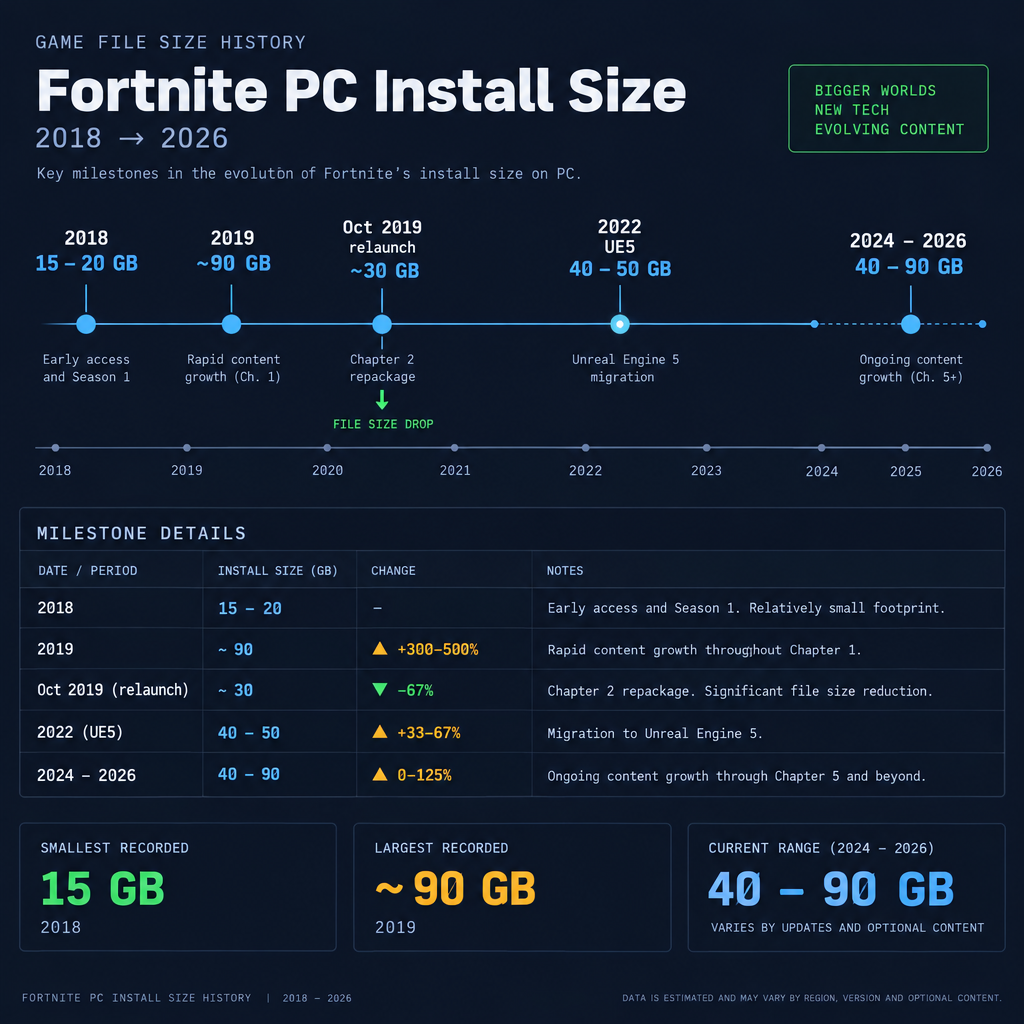
Searches for “fortnite size pc 2020” still turn up, so here is the rough trajectory. These are approximate launcher readings from each period, not official figures from Epic.
| Period | Approximate PC size | What changed |
|---|---|---|
| Early 2018 (Chapter 1) | 15 to 20 GB | Small, early live-service build |
| Mid 2019 (late Chapter 1) | Around 90 GB | Two years of unpruned seasonal content |
| October 2019 (Chapter 2 launch) | Around 30 GB | Epic repackaged the game and cut over 60 GB on PC |
| 2020 to 2021 | 30 to 40 GB | Steady growth across Chapter 2 |
| December 2022 (Chapter 4, UE5) | 40 to 50 GB | New engine, higher-quality assets |
| 2024 to 2026 | 40 to 90 GB | Optional HD texture pack added; LEGO, Festival and Racing modes |
The pattern repeats: the game balloons, Epic repackages, then it balloons again. If your install feels oversized, a clean reinstall after a chapter launch often lands well below your current reading.
Common mistakes and troubleshooting
Deleting files inside the Fortnite folder manually. The launcher will flag the game as broken and redownload what it thinks is missing, which can cost more data than you saved. Use Verify or the texture checkbox instead.
Trying to install with exactly the listed size free. Updates need headroom. If you have 45 GB free and Fortnite is 40 GB, the next 8 GB patch will fail partway through. Clear space first.
Confusing the download size with the install size. The launcher compresses downloads, so a 60 GB install might show as a 45 GB download. Plan for the on-disk number.
Reinstalling to fix a stuck update. A verify is faster and usually solves it. Reinstalling pulls the full 40 to 90 GB again.
Counting the shader cache against the game. Windows and your GPU driver write a few GB of shader data in your user profile. That is normal and rebuilds itself if deleted, so leave it alone unless you are truly out of room.
Alternatives that use no local space
GeForce Now and Xbox Cloud Gaming both stream Fortnite to a PC browser or app. You need a stable connection of around 25 Mbps for 1080p, but the install size is zero. For a laptop with a 256 GB drive, streaming is often the better choice than carving out 90 GB.
If you are setting the game up on a shared family machine, it is worth reading up on the fortnite age rating as well, since the PEGI 12 and ESRB Teen labels affect which Windows family controls will let it run.
FAQ
Why is Fortnite 90 GB?
A 90 GB reading almost always means High Resolution Textures are installed and the game has gone through several seasons of updates without a verify. Turn off the texture pack and run Verify in the Epic Games Launcher, and most installs drop to 40 to 50 GB.
Is Fortnite 200 GB?
No. As of October 2026 Fortnite does not reach 200 GB on PC under any install configuration. If Windows reports a figure that high, something else is sharing the folder, such as an old backup copy or a second install in a different directory. Check for duplicate Fortnite folders on each drive.
Can a $500 PC run Fortnite?
It can, but not at Epic’s recommended tier. A $500 desktop with a current budget CPU and integrated graphics meets the minimum tier rather than the recommended one, which calls for a dedicated card in the GTX 960 or R9 280 class. Builds that comfortably clear the recommended tier for 1080p at 60 fps typically cost closer to $680 to $730. At $500, expect 1080p on Low to Medium settings with playable frame rates. Pair it with an SSD, since storage speed affects Fortnite more than raw GPU power at that budget.
Is 32 GB RAM overkill for Fortnite?
For Fortnite alone, yes. The game runs well on 8 GB and is fully comfortable on 16 GB, even at Epic settings with the HD texture pack. 32 GB only helps if you stream, run Discord and a browser with many tabs, or edit video while the game sits in the background.
How much free space should I keep for updates?
Keep 20 GB free on top of the current install. Seasonal updates can briefly need close to twice their own download size while the launcher swaps old files for new ones.
Does the Epic Games Launcher count toward Fortnite’s size?
No. The launcher is a separate program of under 1 GB. The figures above refer only to the Fortnite install folder and its optional texture pack.
About the Author