Last checked:
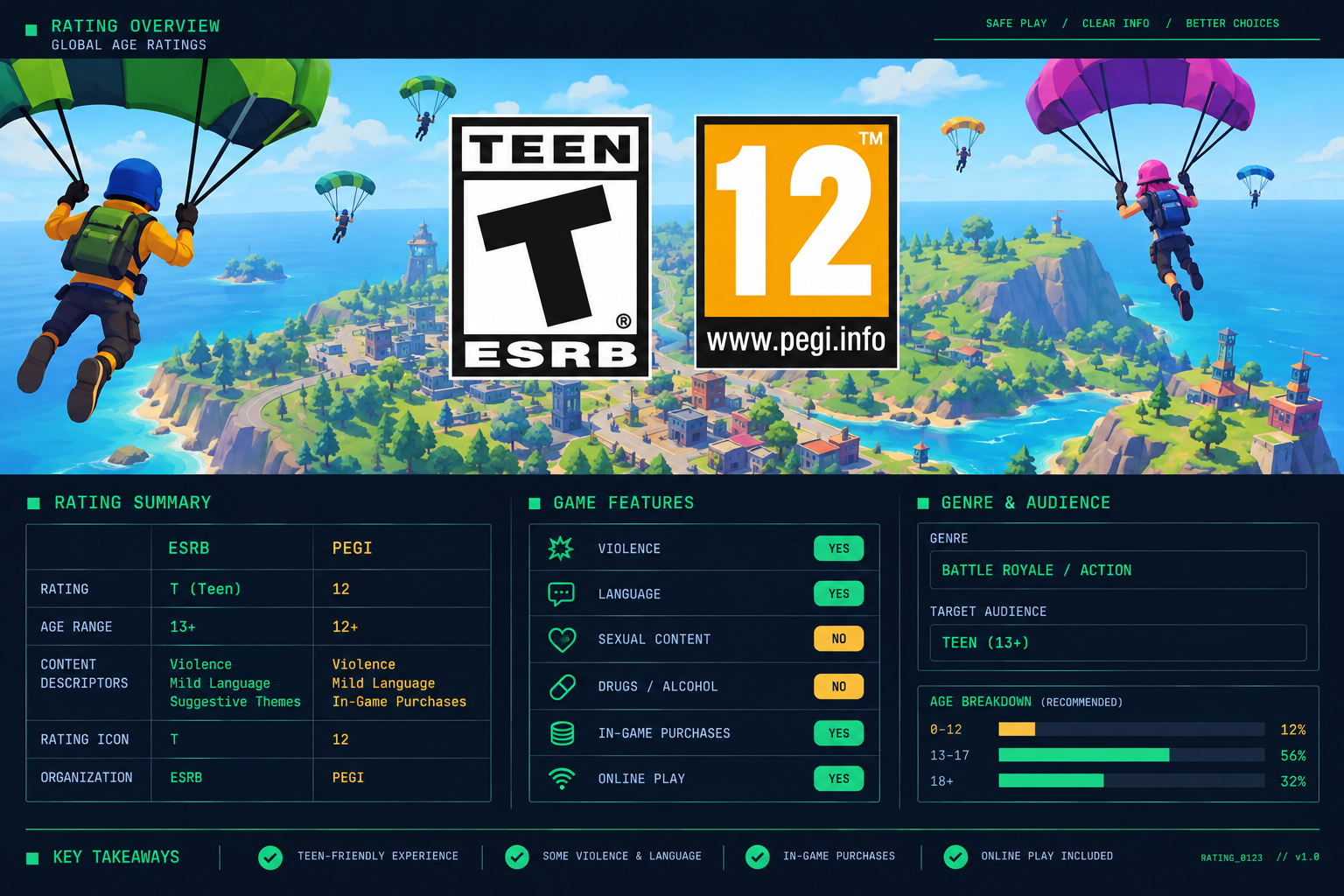
Fortnite is rated T for Teen (13 and older) by the ESRB in North America and PEGI 12 in Europe. The ESRB label lists Violence, Suggestive Themes and Lyrics as content descriptors, plus Users Interact and In-Game Purchases as interactive elements, while PEGI lists Violence and In-Game Purchases. The rating is the same on PS4, PS5, Xbox, Switch, PC and mobile. What changes from family to family is how you handle chat, strangers and V-Bucks, so this page covers the rating first and the controls second.
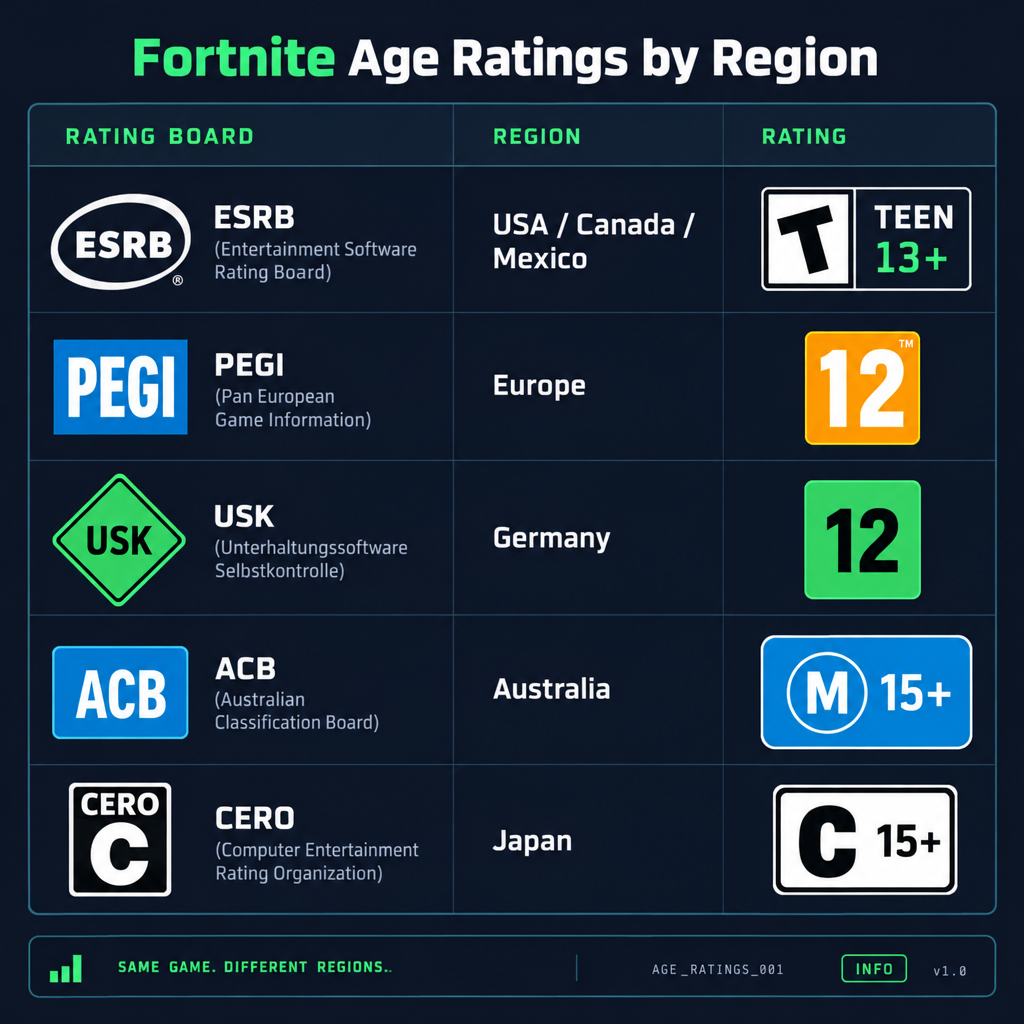
Fortnite ratings by region
Every major ratings board lands in the 12 to 15 range for Fortnite Battle Royale. The gap between them comes from how each board treats cartoon gunplay and online play, not from different content.
| Rating board | Region | Fortnite rating | Descriptors | Legally enforced? |
|---|---|---|---|---|
| ESRB | US, Canada, Mexico | T (Teen, 13+) | Violence; Users Interact, In-Game Purchases | No, voluntary industry system |
| PEGI | UK and most of Europe | 12 | Moderate Violence, In-Game Purchases | Yes for boxed retail sales in the UK; not relevant to a free download |
| USK | Germany | 12 | Violence | Yes for retail, but Fortnite is a digital download |
| ACB | Australia | M (Mature, 15+ recommended) | Violence, Online Interactivity | No, M is advisory |
| CERO | Japan | C (15+) | Violence | No, voluntary |
Data applies to Fortnite Battle Royale as of October 2026. Other Fortnite modes carry their own labels, covered below.
What the T rating actually covers
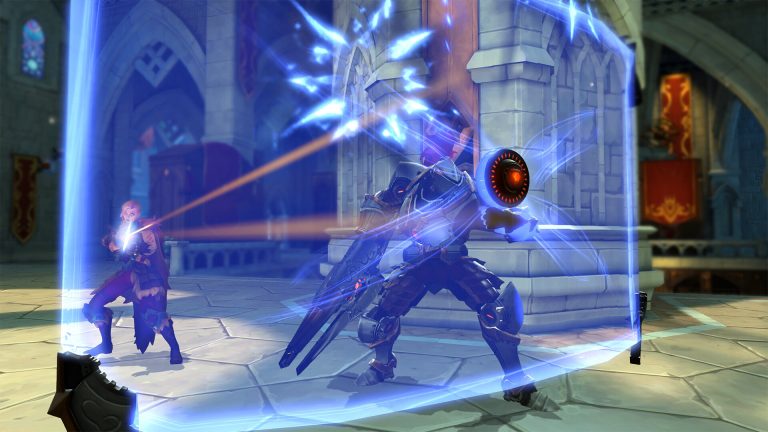
The ESRB’s summary for Fortnite describes a third-person action game where up to 100 players land on an island, scavenge weapons and fight until one player or squad survives. Players shoot each other with pistols, shotguns, rifles and explosives. Damage shows up as floating hit-point numbers and eliminated players teleport away in a beam of light. There is no blood, no gore and no dismemberment.
That is why Fortnite sits at T rather than M. The violence is constant but stylised. Compare that with Call of Duty: Warzone, which is rated M for blood and gore, intense violence and strong language.
The two interactive elements matter as much as the content descriptor. “Users Interact” means your child can hear and read what strangers say, and the ESRB does not rate player behaviour. “In-Game Purchases” flags V-Bucks, the currency used to buy skins, emotes and the Battle Pass.
PEGI reaches the same conclusion with slightly different wording. A PEGI 12 means violence toward human-like characters that stays non-realistic, plus the in-game purchases icon. PEGI also flags that the game includes online interaction that is not rated.
Not every Fortnite mode is rated T
Since late 2023, Epic has attached a separate age rating to every experience inside Fortnite, including its own modes and the thousands of player-made islands in Discover. The ratings come through IARC, the international system that assigns ESRB, PEGI, USK and other labels at once.
In practice this means you will see a mix of labels on the Fortnite home screen:
- Battle Royale, Zero Build and Reload: T (ESRB) / PEGI 12
- LEGO Fortnite: E10+ (ESRB) / PEGI 7
- Creative and UEFN islands: anything from E to T depending on the island
LEGO Fortnite is the mode most parents of younger children ask about. It is a survival and building game with cartoon LEGO minifigures and no guns, which is why it rates two tiers below Battle Royale. If you want your child in LEGO Fortnite but out of Battle Royale, the Content Ratings parental control does exactly that, and the setup is in the steps section below.
The rating badge appears on each island’s tile in Discover. Tap into any experience and the rating, descriptors and interactive elements are listed before you press play.
Fortnite PS4 rating and other platforms
The Fortnite PS4 rating is T for Teen in North America and PEGI 12 in Europe, identical to every other platform. Ratings are attached to the game’s content, not the hardware, so the label on PS4, PS5, Xbox One, Xbox Series X|S, Nintendo Switch, Switch 2, PC and mobile is the same.
What does differ by platform is the second layer of controls available to you:
| Platform | Platform-level control | What it adds beyond Epic’s controls |
|---|---|---|
| PS4 / PS5 | PlayStation Family Management | Playtime limits, spending caps on the PlayStation Store, age-level filters by rating |
| Xbox One / Series | Xbox Family Settings app | Screen time schedules, spending approval, content filters by ESRB/PEGI rating |
| Nintendo Switch / Switch 2 | Nintendo Switch Parental Controls app | Daily time limits, software restriction by rating, communication restrictions |
| PC (Epic Games Store) | Windows Family Safety or macOS Screen Time | Screen time and app limits |
| iOS / Android | Screen Time (Apple) / Family Link (Google) | App limits, purchase approval |
Both layers work independently. Epic’s controls follow your child’s account onto any device. Platform controls stay with the console or phone.
Epic’s own age rule: 13 and Cabined Accounts
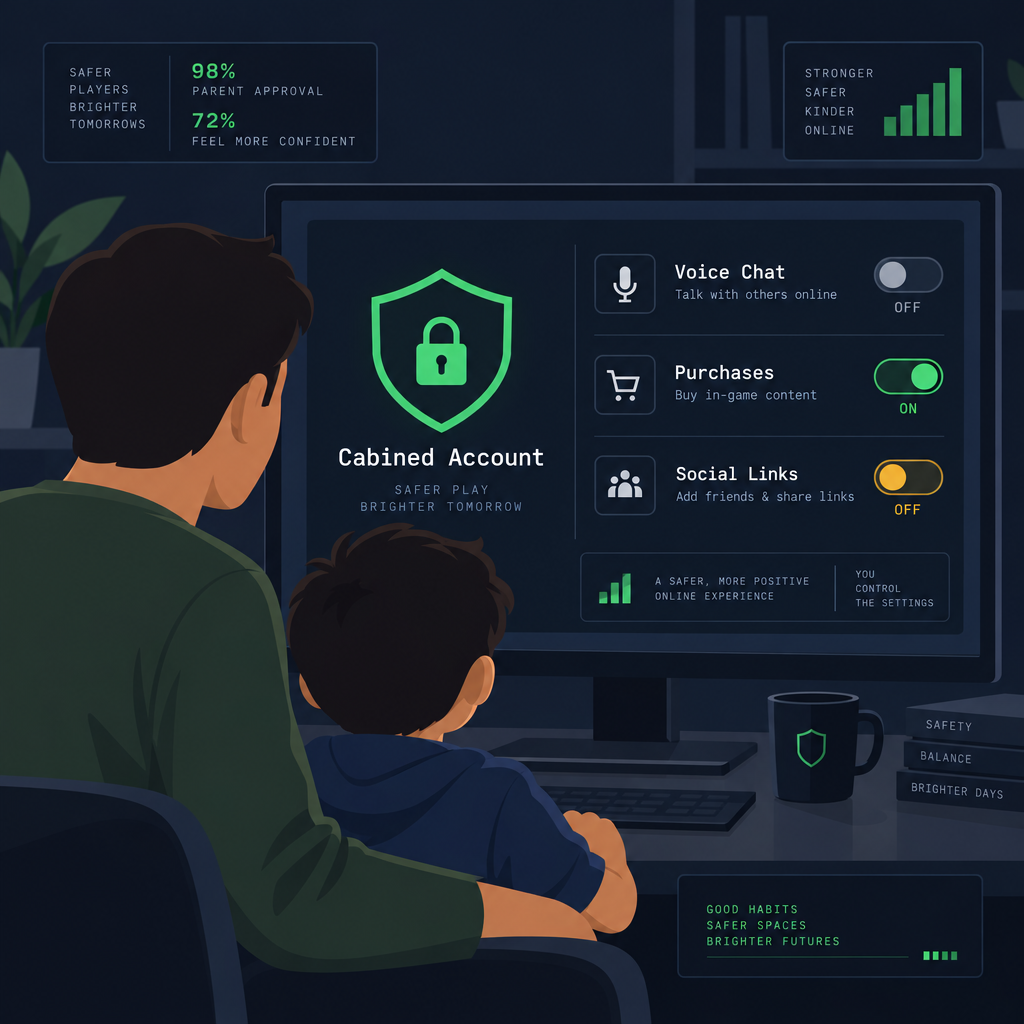
Ratings are guidance. Epic’s terms are the actual rule your child’s account runs under, and Epic sets the full-account minimum at 13, or the age of digital consent in your country if that is higher.
Children under that age are not blocked. Since December 2022 they are placed in a Cabined Account instead. A Cabined Account can play Fortnite, Rocket League and Fall Guys but has these features switched off until a parent gives verified consent:
- Voice chat and text chat
- Purchases with real money
- Downloading non-Epic games from the Epic Games Store
- Linking social media and some third-party accounts
- Personalised recommendations and marketing emails
You give consent through Epic’s parental verification flow, which asks for a parent email and then a verification method such as a small credit card charge or ID check. Once verified, you decide feature by feature what to unlock, and your PIN protects those choices.
The Cabined Account system followed a December 2022 settlement with the US Federal Trade Commission. Epic agreed to pay $520 million in total: $275 million for collecting data from children under 13 without parental consent under COPPA, and $245 million in refunds for billing practices the FTC called dark patterns. Default voice chat and text chat for children were a central complaint, and both are now off by default for players under 13.
How to set up Fortnite parental controls
Epic’s parental controls take about ten minutes. They live inside the Epic account and apply on every platform your child plays on.
What you need
- Your child’s Epic account login, or the console they play on with Fortnite installed
- A parent email address you can access right away
- A six-digit PIN you will remember and your child will not guess
- The platform’s own family app if you also want time limits
How to turn it on
- Open Fortnite, press the menu button and choose Settings, then Parental Controls.
- Enter the parent email and confirm it from the verification message.
- Create a six-digit PIN.
- Set Content Ratings to the highest label your child may play.
- Set Voice Chat and Text Chat to Off or Friends Only.
- Turn on Require PIN for purchases.
- Turn on Playtime Reporting and save.
The settings worth changing
Content Ratings. This is the control that limits which experiences your child can open. Set it to E10+ and Battle Royale disappears while LEGO Fortnite stays. Set it to T and everything is available. The default for a verified 13+ account is T.
Voice Chat. Three options: Everyone, Friends Only, Off. Friends Only is the sensible middle ground. Your child can talk to squadmates they know but random fill-ins in Duos or Squads stay muted.
Text Chat. Same three options. Fortnite has in-match text chat and a lobby chat, and this setting covers both.
Filter Mature Language. Replaces flagged words in text chat with symbols. Keep it on. Note this only affects text, not voice.
Friend Requests. Set to require your PIN for new friend requests. This stops the common pattern where a child adds a random teammate after a good match.
Require PIN for Purchases. Every V-Bucks purchase and every real-money transaction asks for the PIN. Without this, a saved payment method on the console or Epic account means one button press buys a skin.
Playtime Reporting. Emails you a weekly summary of hours played per day. Useful as a reality check, though it does not enforce limits.
Social Permissions. Controls who can see your child’s online status and real name, and whether they can be found by search. Set to friends only.
Expected result
After saving, your child’s lobby will be quiet unless a friend is talking, the purchase screen will stop at a PIN prompt, and the Discover page will only show islands at or below the rating you picked. The settings sync to every device signed into that Epic account. You will get the first playtime email the following week.
Common mistakes
- Setting controls on the console only. Console settings stop at that console. If your child also plays on a phone or a friend’s Switch, Epic’s account-level controls are what travel with them.
- Using a PIN your child knows. Children regularly watch parents type the PIN. Choose something unrelated to birthdays or phone numbers and change it if there is any doubt.
- Leaving a card saved with no PIN requirement. Most accidental V-Bucks spending happens here. Either remove the payment method or require the PIN, and ideally both.
- Assuming the rating filter blocks Battle Royale at T. It does not. T is Battle Royale’s own rating. To remove Battle Royale you need E10+ or lower.
- Forgetting the parent email verification. Until the email link is clicked, the controls are not active and the game tells you so at the top of the Parental Controls page.
- Skipping the second layer. Epic has no screen time enforcement. Set daily limits in the PlayStation, Xbox, Nintendo, Apple or Google family app.
Good to know
If you set Content Ratings to E10+ for a younger child, LEGO Fortnite and most Creative islands still work, so the restriction is less drastic than it sounds. You can loosen it later from the same menu with your PIN.
The money side of Fortnite
Fortnite is free to download. Everything you pay for is cosmetic: character skins, pickaxes, gliders, emotes, music and the seasonal Battle Pass. None of it affects gameplay. A player with no skins has the same weapons, health and movement as one who has spent hundreds.
Purchases run through V-Bucks, which you buy in bundles with real money and then spend in the Item Shop. The Battle Pass costs 800 V-Bucks each season (as of March 2026, down from 1,000 V-Bucks) and unlocks roughly 100 tiers of rewards by playing. Shop skins are priced individually, mostly in the hundreds to low thousands of V-Bucks range, and the Item Shop rotates daily, which is the pressure point for younger players: an item they want may disappear the next morning.
Two facts help you set expectations with your child. First, the Battle Pass awards exactly 800 V-Bucks on full completion, matching its 800 V-Bucks price, so a player only breaks even by finishing the whole pass; before March 2026 it cost 1,000 V-Bucks and returned 1,000 to 1,500 V-Bucks, but the current structure offers no surplus. Second, Epic now shows a confirmation step and a hold-to-purchase button on shop items, added after the FTC settlement, and offers refund tokens and a self-service cancellation window for accidental purchases through the account settings page.
Who your child is playing with
Fortnite has full crossplay across console, PC and mobile, and matchmaking fills open squad slots with strangers from any platform. With default settings on a 13+ account, those strangers can speak to your child over voice chat the moment the match starts. That is the single biggest reason parents of 10 to 12 year olds report problems, and the Voice Chat setting above fixes it in one step.
Fortnite also has a reporting tool in the pause menu and on the post-match screen. Teach your child to use it rather than respond. Epic bans accounts for harassment, cheating and inappropriate names, and the report goes through without the other player knowing who filed it.
Making a decision for your family
The ratings give you a range: 12 in Europe, 13 in North America, 15 recommended in Australia and Japan. The content behind those numbers is cartoon shooting with no blood. The parts the ratings cannot score are the ones you control: who can talk to your child, what they can buy and how long they play.
A reasonable approach for a child younger than the rating is to start them in LEGO Fortnite with a Cabined Account, chat off, and the Content Ratings control at E10+. For a child at or above 12 or 13, Friends Only voice chat and a PIN on purchases cover the two most common issues while leaving the game intact.
FAQ
Is Fortnite ok for a 7 year old to play?
Fortnite Battle Royale is rated T (13+) in the US and PEGI 12 in Europe, so a 7 year old is well below every board’s age. The content is cartoon shooting without blood, but the main risks at that age are voice chat with strangers and in-game spending. If you do allow it, a Cabined Account removes chat and purchases automatically, and setting Content Ratings to E10+ limits your child to LEGO Fortnite and lower-rated islands.
Is Fortnite 12+ or 13+?
Both, depending on where you live. PEGI in Europe rates Fortnite 12. The ESRB in the US and Canada rates it T, which means 13 and older. Epic’s own account rules add a third number: a full Epic account requires the player to be 13, or your country’s age of digital consent if that is higher. Younger players get a Cabined Account with chat and purchases switched off.
Which is safer, Roblox or Fortnite?
Fortnite is easier to lock down. Epic rates every experience individually, and one parental control limits your child to a maximum rating across the whole game. Fortnite also has far less user-generated content to moderate than Roblox, where millions of experiences exist and age labels are applied less consistently. Roblox carries an ESRB T rating and PEGI 7 for the platform itself, but the experiences inside range much wider than the label suggests. For a child under 13, Fortnite’s Cabined Account also disables chat by default, which Roblox does not do in the same way.
Is it illegal for a 9 year old to play Fortnite?
No. In the US, ESRB ratings are voluntary and carry no legal force, so a 9 year old playing a T-rated game breaks no law. In the UK, PEGI ratings are legally enforced only for retailers selling boxed copies, and Fortnite is a free download. Australia’s M rating is advisory. What does apply is Epic’s terms of service: a child under 13 must use a Cabined Account, and Epic can restrict or close an account where a child has entered a false birth date to bypass that rule.
About the Author