Last checked:
The download and install size for Warhammer 40,000: Dawn of War IV has not been officially confirmed yet. The game is set for a December 3, 2026 release on PC (Windows), and no storage figure, preload size or console version has been announced. This page lists what is confirmed and will be updated as the store listing fills in.
Dawn of War IV size by platform
There is only one platform to cover right now. KING Art Games is developing the game, and Deep Silver is publishing it. Both have announced it for PC only.
| Platform | Download size | Install size | Preload | Status |
|---|---|---|---|---|
| PC (Steam) | Not confirmed | Not confirmed | Not announced | Release set for December 3, 2026 |
| PlayStation 5 | Not announced | Not announced | Not announced | No console version announced |
| Xbox Series X|S | Not announced | Not announced | Not announced | No console version announced |
Any site quoting an exact GB figure today is guessing or copying an unofficial estimate. The number that counts is the “Storage” line in the official system requirements on the Steam page. Treat it as the real answer once the publisher fills it in, and expect it to shift slightly before release.
What is confirmed so far
Hard size data is missing, but the official reveal and follow-up material do say a fair amount about the game. That gives you a sense of how much content will ship at launch.
- Developer and publisher: KING Art Games, the studio behind the real-time strategy game Iron Harvest. Deep Silver is publishing.
- Platform: PC (Windows). Steam is the confirmed storefront.
- Release date: December 3, 2026.
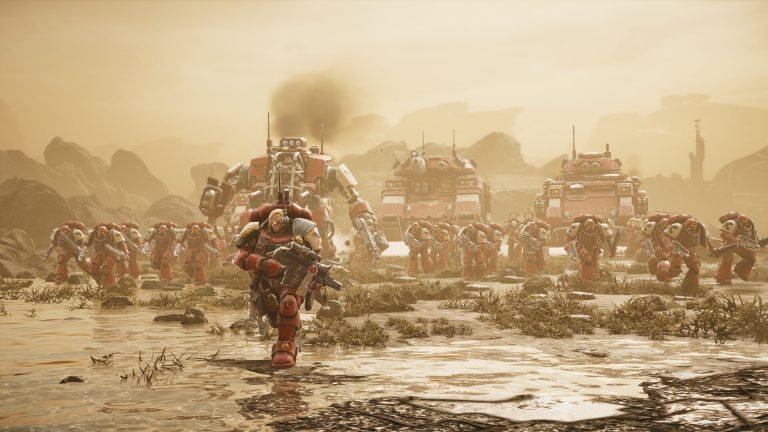
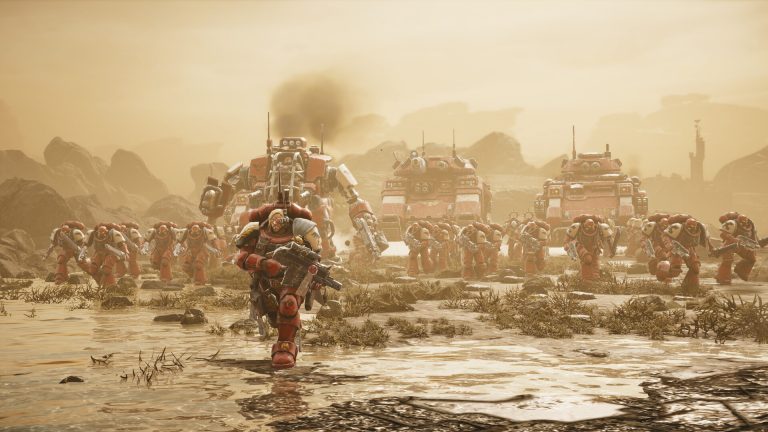
- Launch factions: Space Marines, Orks, Necrons and the Adeptus Mechanicus.
- Genre: Real-time strategy, with base building and squad-based combat in the style of the original Dawn of War.
- Modes: A story campaign, plus skirmish and multiplayer modes.
Four fully animated factions, each with its own units, voice work and cinematics, adds up to a lot of assets. Strategy games like this tend to carry large audio libraries, since every squad has lines for moving, attacking and taking losses. Pre-rendered cutscenes add more. None of that gives you a number, but you shouldn’t expect a small install.
Why the size isn’t known yet
Publishers usually lock the storage requirement late. Textures get recompressed, languages get added, and some content gets cut or moved into a day-one patch. Final storage figures often show up only in the last weeks or months before launch, when the system requirements are finalised.
Requirement lists on Steam can also be placeholders at first. A studio may post a cautious early figure and revise it once the build is final. If you see a number appear on the store page well ahead of December, treat it as a strong guide rather than a promise.
Download size vs install size vs free space
Three numbers matter here, and they are rarely the same.
| Term | What it means | Where you’ll see it |
|---|---|---|
| Download size | Compressed data Steam actually pulls from its servers | Steam’s download queue during preload or install |
| Install size | Space the game takes once it is unpacked on your drive | “Storage” line in system requirements; game properties in Steam |
| Free space needed | Install size plus room for updates and temporary files | Not listed directly; plan headroom yourself |
Steam compresses game data, so the download is often smaller than the final install. Steam also needs working space when it patches a game, because it stages updated files before replacing the old ones. If your drive is close to full, a large day-one patch can fail even when the game itself fits.
Good to know
Plan for more free space than the official “Storage” figure. Leaving extra headroom on top of the listed install size covers the day-one patch and Steam’s temporary patching files.
Preloading Dawn of War IV
Preloading has not been announced. Deep Silver hasn’t said whether Steam owners will be able to download the game files before December 3, or how early that window would open.
When publishers allow it, a Steam preload usually starts a few days before launch for people who pre-ordered. The files download but stay locked until the official unlock time. If Dawn of War IV gets a preload, the download size shown in the Steam queue will be the most accurate figure available before release. It is worth checking against the requirements page.
How to check the real size when it lands
- Open the Dawn of War IV store page on Steam.
- Scroll to System Requirements and read the “Storage” line.
- If a preload opens, start it and watch the size in the Downloads queue.
- After installing, right-click the game, open Properties, then Installed Files to see the size on disk.
SSD, Steam Deck and other storage questions
The official system requirements will say whether an SSD is required or recommended. Many recent PC strategy and action games now ask for one, mainly to cut load times on large maps. Until Deep Silver publishes the final spec, you can only call an SSD a sensible choice, not a confirmed requirement.
Steam Deck compatibility hasn’t been rated by Valve, and the developer hasn’t announced official Deck support. If you plan to play on a handheld or a small drive, wait for the store page to confirm both the storage figure and the Deck rating.
Will the size grow after launch?
Almost certainly. Strategy games get balance patches, new maps and often extra factions after release. Dawn of War’s history includes expansions that added whole armies, and the existing faction roster leaves obvious room for more Warhammer 40,000 races later. Any post-launch DLC or free updates will add to the install. Patches can also trim it, since developers sometimes clean up unused assets.
The launch figure is a starting point. Check the size again after major updates, especially if you keep several large games installed side by side. Big launches change on-disk sizes fast, and that is also why we track figures like the GTA 6 file size separately as release details arrive.
How this page will be updated
The confirmed figures above will be replaced as soon as official data appears. The table will get new values from these sources, in order of reliability:
- The Steam store page system requirements (official).
- Official Deep Silver and KING Art Games announcements, FAQs and social posts (official).
- The actual preload or download size shown in Steam once it is available (measured).
Leaked or datamined sizes won’t be added as confirmed numbers. Unverified estimates on forums and YouTube can be useful hints, but they are not official, and early figures often miss the final compression pass.
FAQ
How many GB is Dawn of War IV?
Not confirmed yet. Deep Silver and KING Art Games have not published a final storage requirement or download size. Check the “Storage” line on the Steam page as launch approaches.
Can I preload Dawn of War IV?
Preloading has not been announced. Commander Edition owners on Steam get Advance Access and can play 3 days early, from November 30, 2026, while Standard Edition pre-orders do not include early access.
Is Dawn of War IV coming to PS5 or Xbox?
No console version has been announced. The game is confirmed for PC (Windows) only, so there are no console file sizes to report.
How much free space should I leave?
More than the official install figure once it’s published. Extra headroom covers the day-one patch and the temporary space Steam uses while it applies updates.
Does Dawn of War IV need an SSD?
The final system requirements haven’t confirmed this. An SSD is a safe choice for faster loading on large strategy maps, but it is not a confirmed requirement yet.
Will the file size change after release?
Yes, it is likely to change. Patches, balance updates and any future DLC will alter the install size over time, so recheck it after major updates.
About the Author